Built for South African field-service teams
See every crew, live.Hear about delays before your clients do.
FieldWatch plans each crew’s day, shows every team live on a map, and warns you the moment a visit is at risk of running late. No more phoning around to find out where everyone is.
- Free for 2 crews
- No card required
- Works on any smartphone
For any business whose teams visit sites on a schedule
- Garden services
- Cleaning
- Waste removal
- Pest control
- Pool services
- Maintenance
Sound familiar?
Running crews shouldn’t mean living on your phone.
Three everyday problems, and how FieldWatch solves each one.
Where is everyone?
You phone supervisors and wait for WhatsApp replies just to find out whether a team has arrived.
With FieldWatchEvery crew is on a live map, and you see the moment they arrive at each site.
The client finds out first
A crew runs late, and you only hear about it when the client phones to complain.
With FieldWatchYou are warned before a crew is late, so you can call the client before they call you.
No proof of the visit
A client says nobody came, and it is your crew’s word against theirs.
With FieldWatchRoute replay shows exactly when the crew arrived, how long they stayed and when they left.
How it works
Plan it, send them out, watch it happen.
Set up in an afternoon. Your supervisors learn it in five minutes.
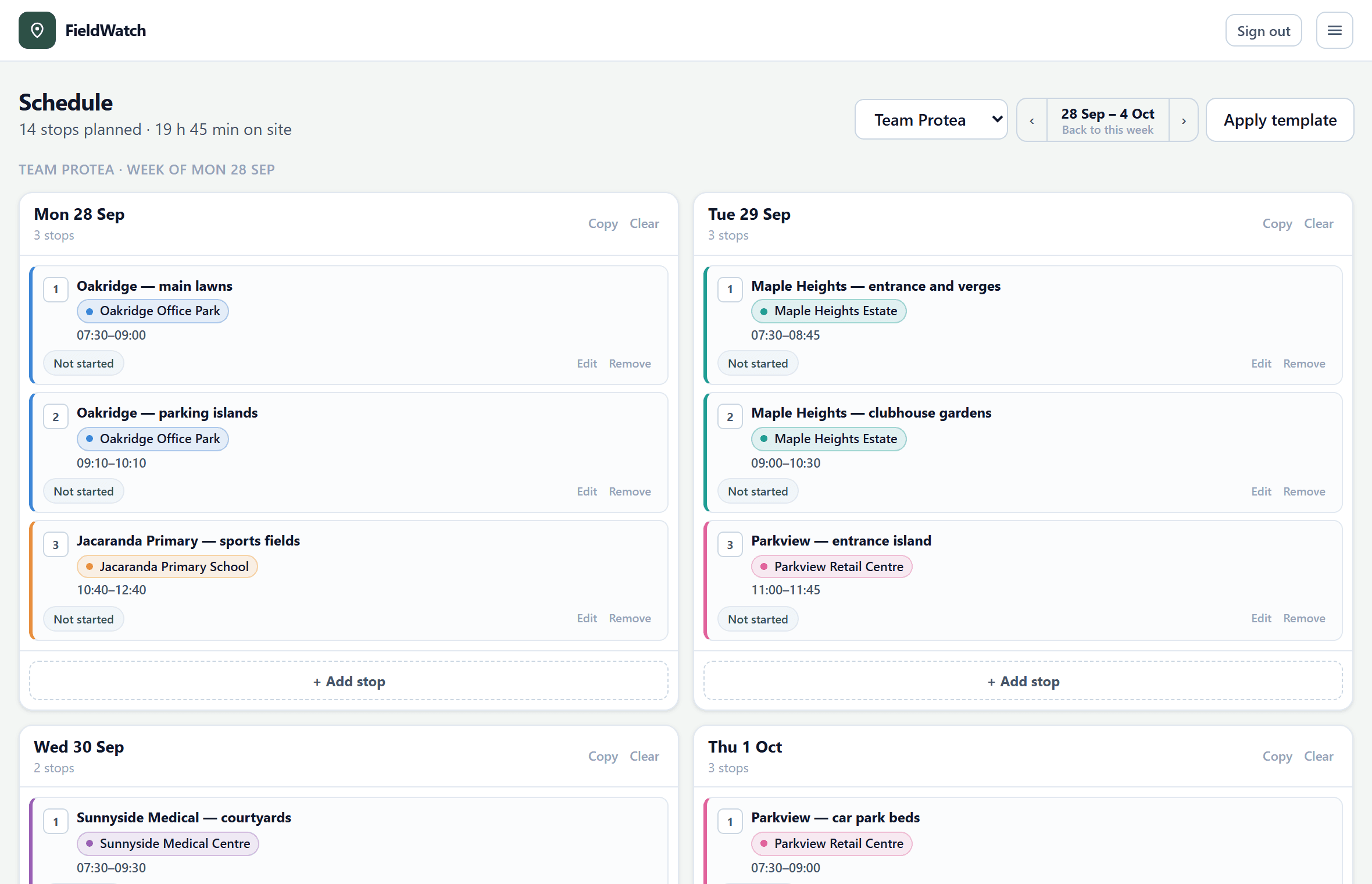
Plan the week
Add your clients and their sites once, with a pin where the crew parks. Then plan each crew’s day with arrival times. A round you repeat every week can be saved as a template and applied in one step.
- Every client in its own colour
- Travel time between stops worked out for you
- Copy a day or apply a template to any week
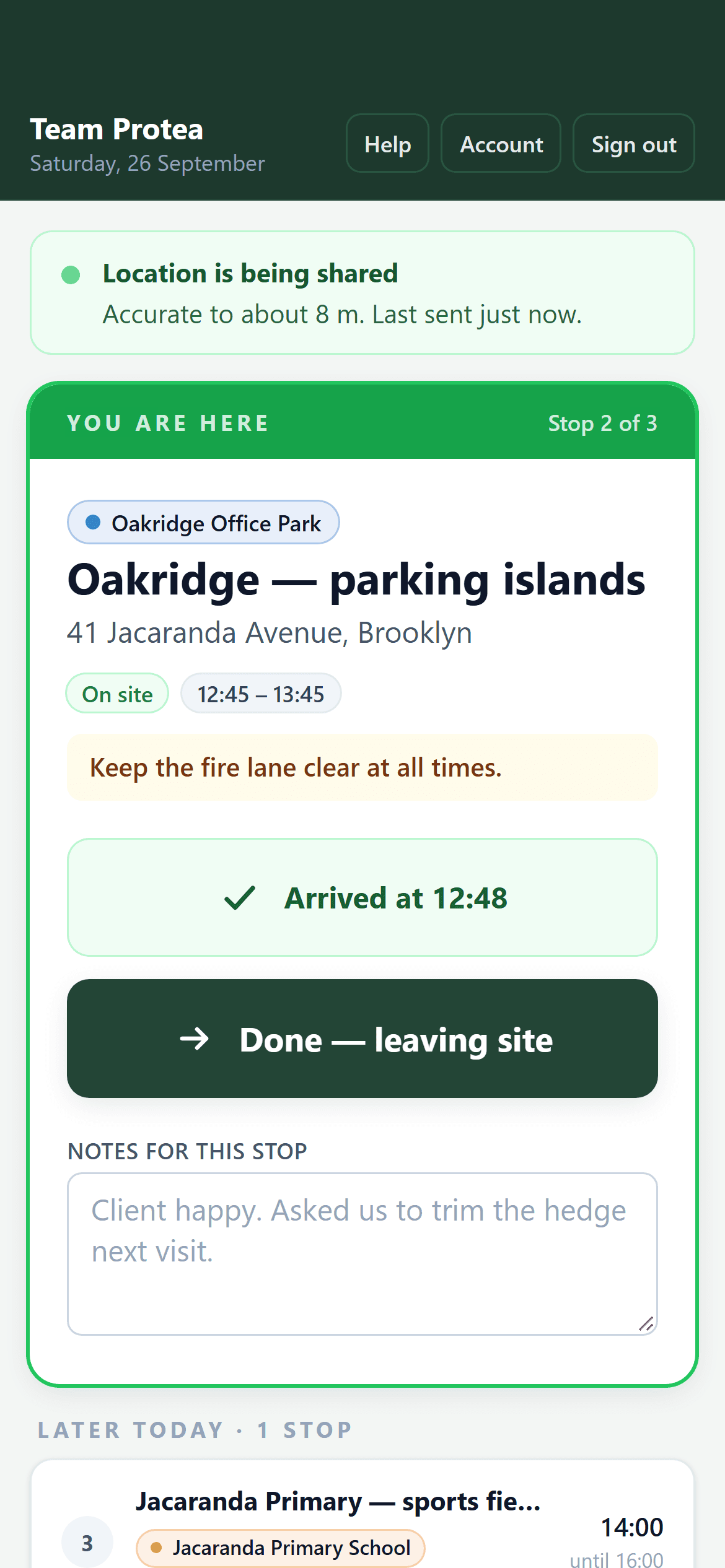
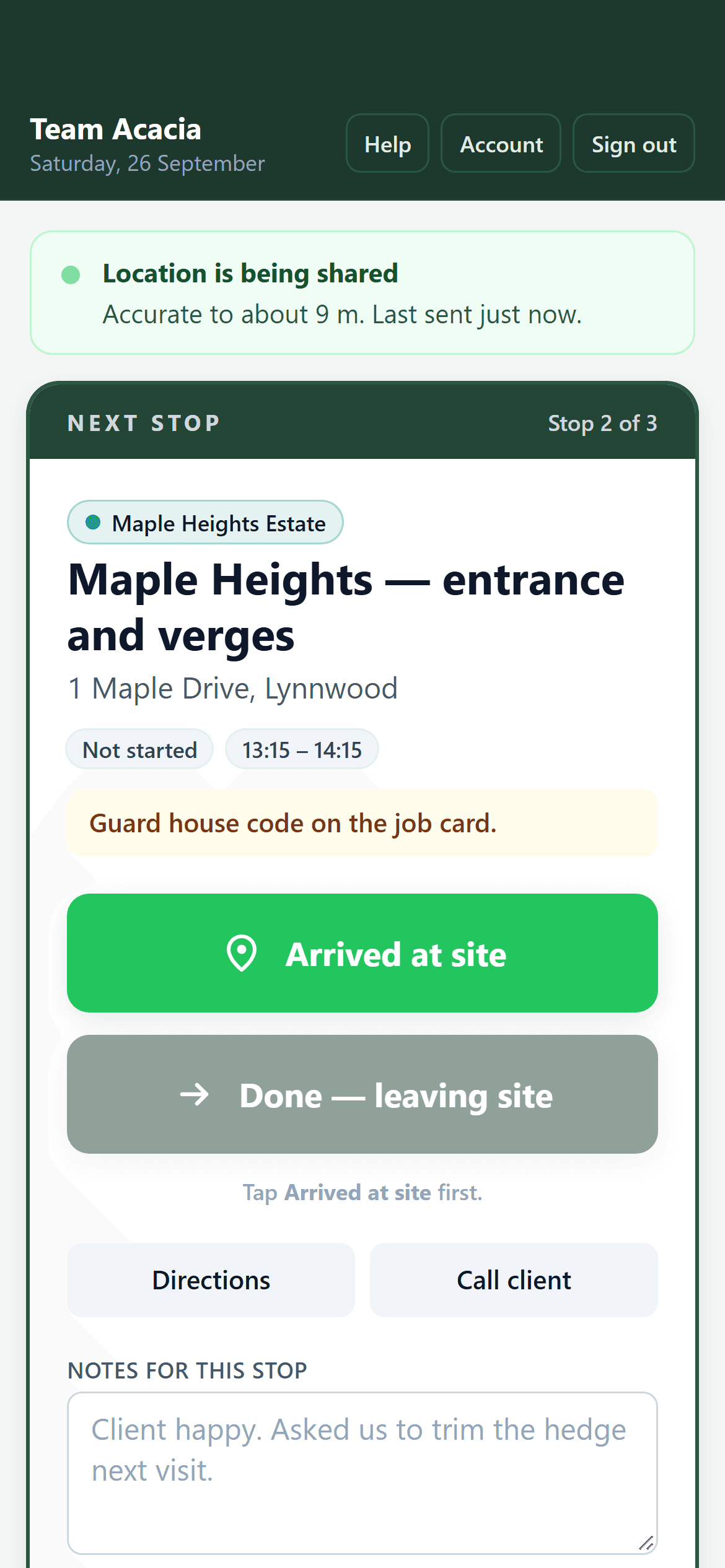
Supervisors tap Arrived and Done
Each supervisor signs in on their own phone with a phone number or email address. They see only their crew’s stops for today, with two large buttons. There is nothing else to learn, and nothing they can change by mistake.
- Site address, access notes and the day’s instructions on screen
- Each tap records the time and how far the phone was from the site
- No app store: it opens straight from the Home Screen
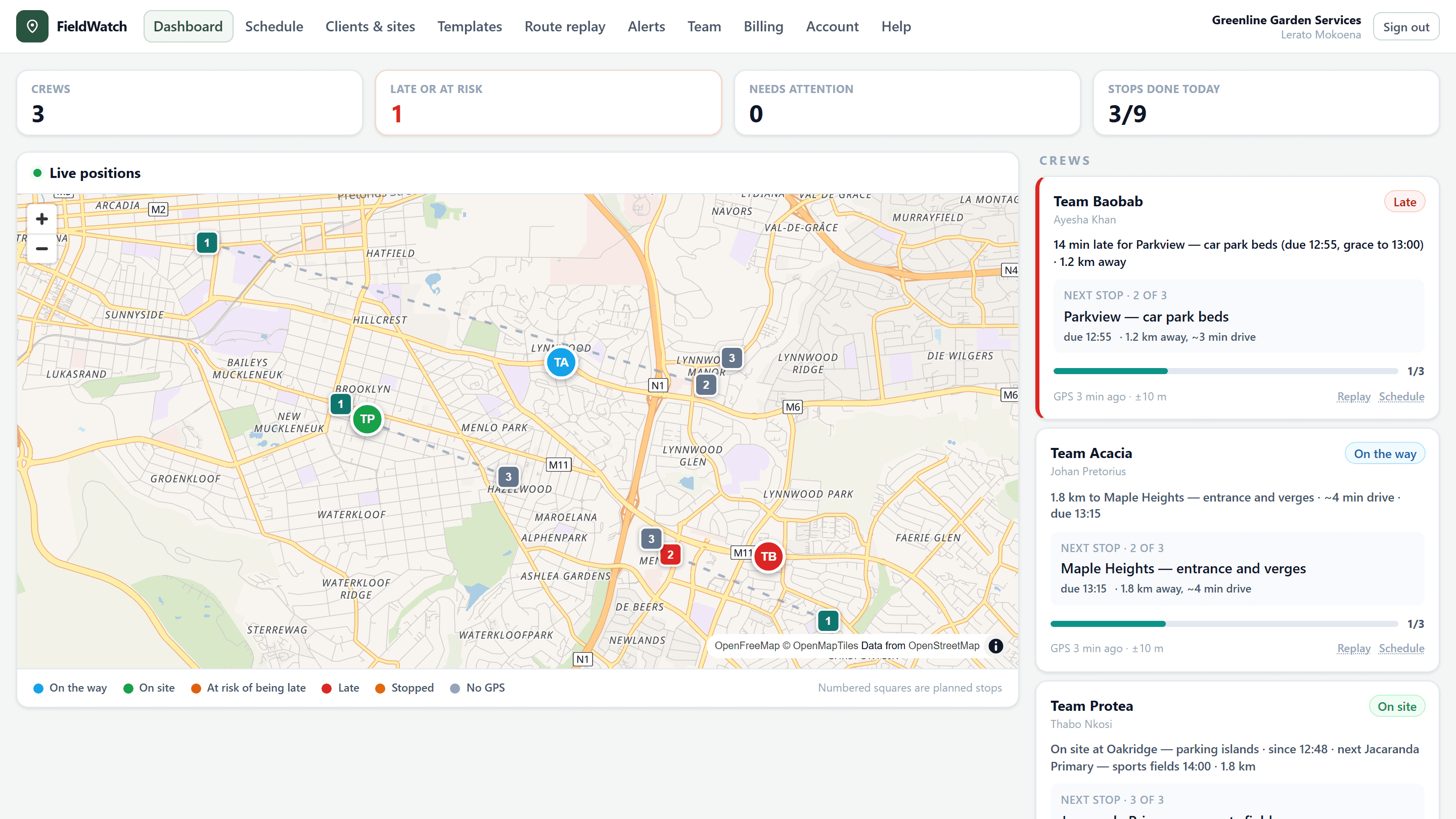
See it live, and hear about problems early
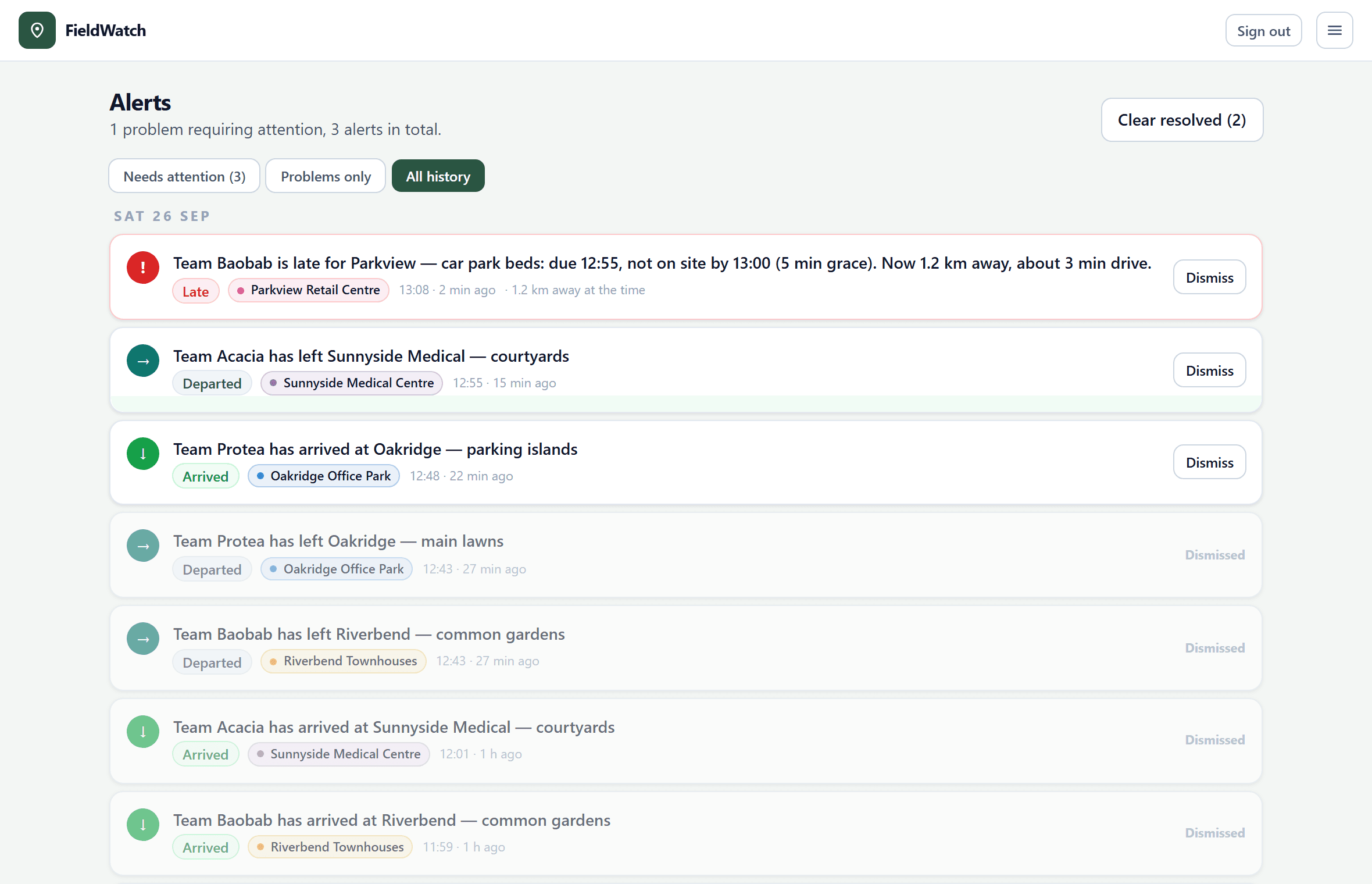
The dashboard shows every crew on the map as the day unfolds. Every minute, FieldWatch checks each crew against its next stop and alerts you if they won’t arrive on time, are already late, or have stopped moving.
- Alerts on your phone or computer, even with FieldWatch closed
- You choose the warning time, grace period and driving speed
- Every alert kept on the Alerts page
Features
Everything you need to run the day. Nothing you don’t.
Live map
Every crew’s position, sent from the supervisor’s phone while FieldWatch is open.
Early warnings
A warning before a crew is due if they won’t make it in time, and another if they are late.
GPS-checked arrivals
Each tap is checked against the site pin, so an arrival from down the road stands out.
Route replay
Replay any day on the map: the route driven, the time on site and every stop.
Templates
Save a weekly round once and apply it to any week in a single step.
Client colours
Every client has its own colour, so you can tell stops apart at a glance.
Easy logins
Supervisors sign in with a phone number. Send them their login details on WhatsApp in one tap.
Private by design
Location is shared only while the app is open, and only with your own company.
Proof of every visit
Show a client exactly when you were there.
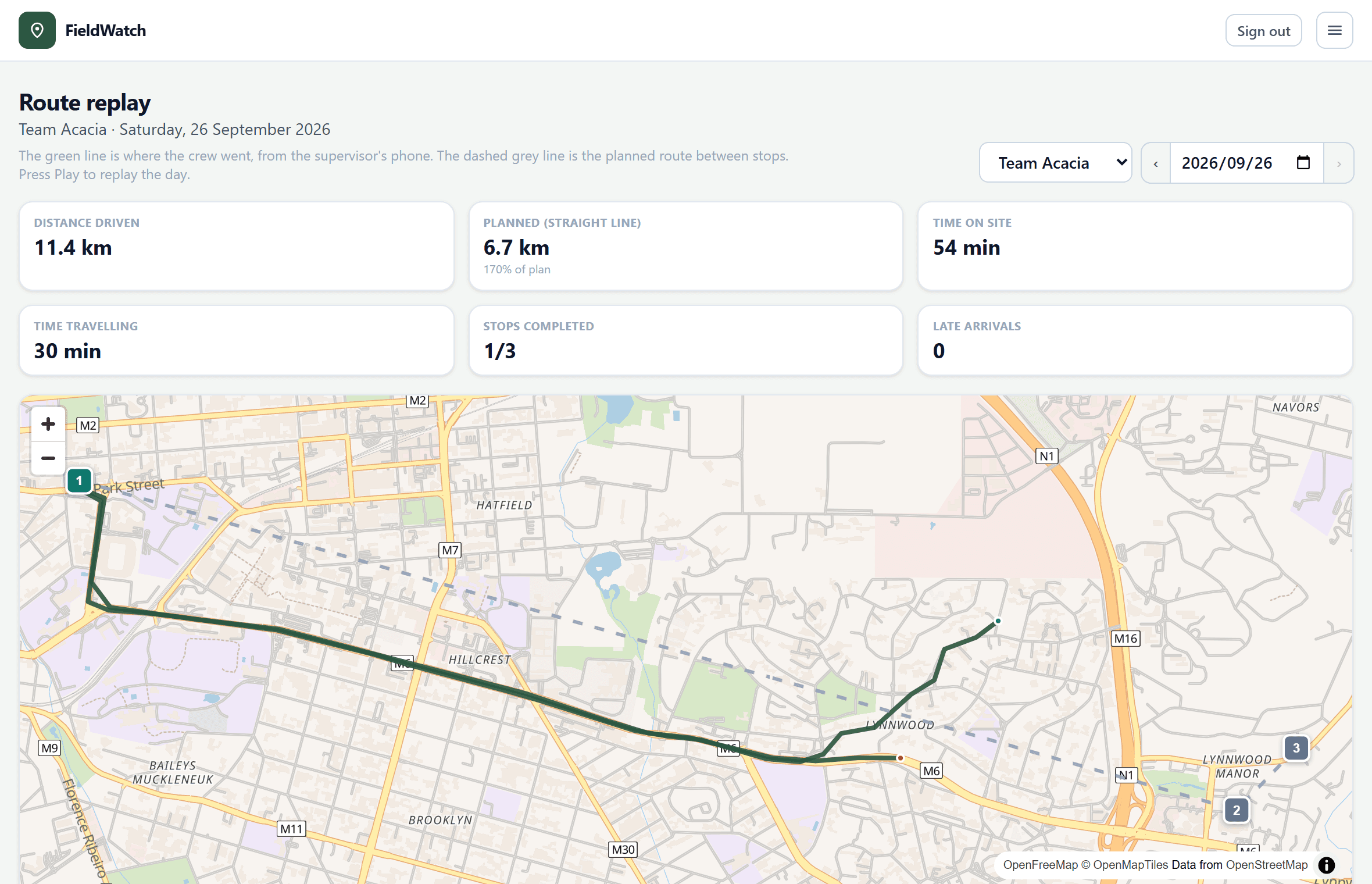
When a client asks whether the team came, open Route replay. It shows the day on the map: the route the crew drove, when they arrived, how long they stayed and when they left.
- Planned and actual times for every stop
- How far the phone was from the site at each tap
- Time on site and time travelling for the day
Clients and sites
All your clients, sites and instructions in one place.
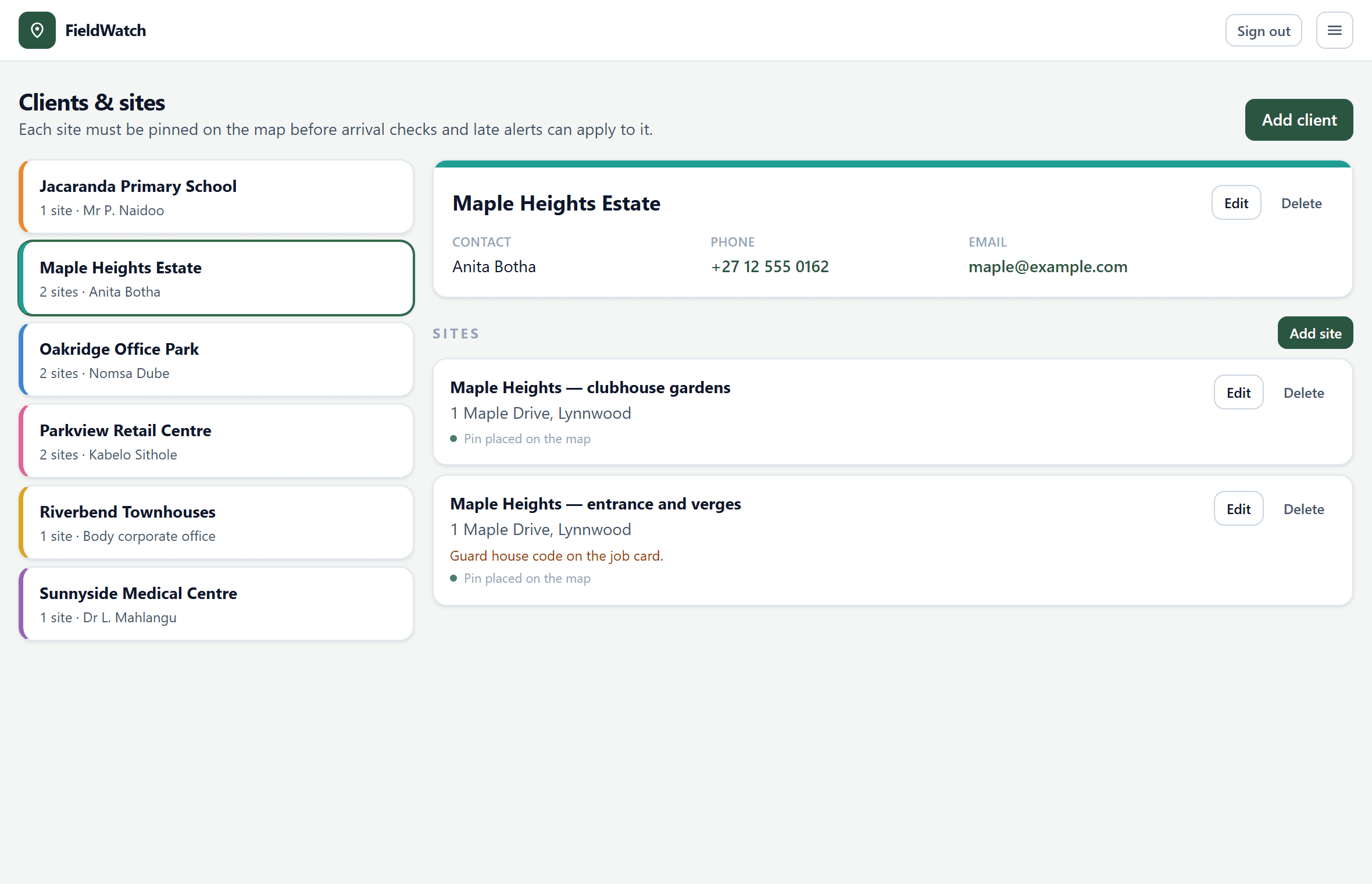
Keep each client’s contact details, notes and sites together. Pin every site where the crew parks and add access notes, such as the gate code or where to sign in. Your supervisors see them the moment they arrive.
Pricing
Start free. Pay only as you grow.
Every feature is included on every plan. You only pay for extra crews.
Free
For small teams, and for trying FieldWatch properly.
R0forever
- 2 crews, each with a supervisor login
- The live map, alerts and route replay
- Unlimited clients, sites and schedules
- No card required, no time limit
Extra crews
When you have more than 2 teams out at once.
R99per crew, per month
Or R1 010 per crew per year: save 15%.
- Everything in Free, for as many crews as you need
- Each extra crew includes its supervisor login
- Add crews at any time; you pay only for the rest of the current period
- Cancel whenever you like; it runs to the end of the period
Prices in South African rand. Payments are processed securely by PayFast.
Questions
Good questions, straight answers.
Something else on your mind? Ask us on WhatsApp and we will get back to you.
WhatsApp 083 706 6197Do my supervisors need to install an app?
No. FieldWatch runs in the phone’s web browser. On an iPhone or an Android phone, they can add it to the Home Screen so that it opens like any other app.
Does it track my staff all the time?
No. A phone shares its location only while the supervisor has FieldWatch open during the working day. When they close it, sharing stops. Only your own company can see it.
What kind of phone do supervisors need?
Any recent smartphone, iPhone or Android, with location services and mobile data. Supervisors can sign in with a phone number instead of an email address.
How does FieldWatch decide that a crew will be late?
Every minute, it compares each crew’s latest position with the next site they are due at. If they cannot get there in time at normal driving speed, you are warned before the due time, and again if they are later than your grace period. You set the warning time, the grace period and the average speed.
Can I try it without paying?
Yes. The free plan includes 2 crews and every feature, with no card and no time limit. Upgrade only when you need more crews.
What happens if a payment is missed?
Nothing is deleted. You have 48 hours’ grace to sort it out. After that, the extra crews are suspended until the plan is renewed, while your free crews keep working.
Who can see our information?
Only the managers and supervisors of your own company. Each company’s data is kept completely separate. Our privacy policy explains what we collect and your rights under POPIA.
Your crews are already out there. Start seeing them.
Create your company in two minutes and plan your first day today. Free for 2 crews.
Prefer to talk? Call us on 083 706 6197.